Monitoring playbook

How to monitor your websites without a spreadsheet war

Whether you run one business site or a roster of client sites, standardize on one monitor per URL with the checks that matter—then route alerts to the channel that owns it.

  • Start with homepage HTTP + SSL on every site
  • Add DNS and visual break detection for revenue-critical sites
  • Forward incident timelines instead of screenshots of Pingdom
Takes ~60 seconds to set up

We’ll check your site and continue signup on the next page.

Monitor dashboard showing uptime timeline with a recent incident and recovery window

Every site is different; your process shouldn’t be

WordPress, Shopify, headless, static—you still need the same baseline: know when a site is down, slow, or about to lose SSL before your customers do.

  • Adding a new site means rebuilding monitoring from scratch
  • Alerts go to personal inboxes instead of the team channel
  • No documented “what we watch” list anywhere

Why ad-hoc monitoring fails

Scattered free tiers, host-provided uptime, and “we’ll notice in Analytics” don’t survive the first real outage.

  • Host panels only cover infrastructure—not DNS, SSL, or layout
  • No multi-region confirmation—false positives burn trust
  • Visual breaks ship while HTTP stays 200
  • Incidents aren’t logged in a shareable timeline

A repeatable monitoring stack

Paste a URL once, pick monitor types, and reuse the same playbook for every site you manage.

  • Baseline in 60 seconds
    Sign up with email, add the client homepage, and monitoring starts after confirmation—no card required.
  • Layer checks as risk grows
    Add SSL expiry, DNS, response-time limits, and visual break detection per site—not one-size-fits-all noise.
  • Quiet hours & consecutive failures
    Require repeated failures before paging so deploy windows don’t wake the whole studio.
  • Status board on Business
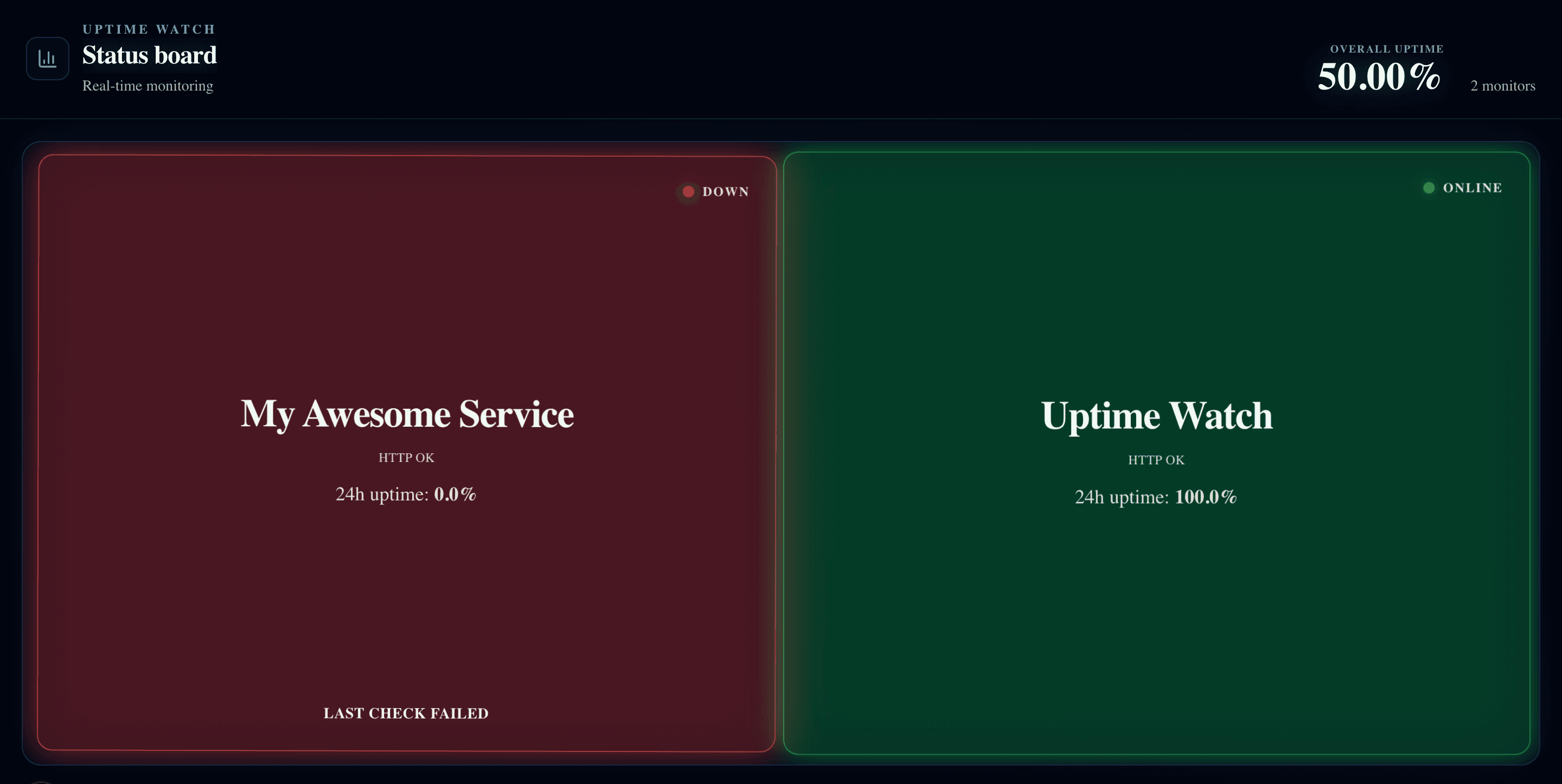
    Put site status on the office TV or ops wall—one tile per monitor, color-coded by uptime window.

See uptime, SSL, and incidents in one place

One dashboard your whole team can read without training.

Monitor dashboard showing uptime timeline with a recent incident and recovery window

Monitor your first site free

Ten monitors included—enough to cover your key sites. Upgrade when you need 1-minute checks and Slack routing for the whole team.

10 monitors free · No credit card · EU-hosted from Finland